I fired up Monument Valley 3 on my iPad Pro last week through Netflix Games (yeah, that’s still a thing), expecting the same zen puzzle vibes that made me fall in love with the original back in 2014. What I got was two hours of absolutely gorgeous architectural mind-benders that left me satisfied but also wondering if ustwo games is running out of tricks. After spending about 6-7 hours total with the game—including replays, the Garden of Life expansion, and way too much time just rotating structures to watch the lighting effects—I’ve got some thoughts.
The Good Stuff
The water mechanics actually add something new
Look, I was skeptical when I read about “water-shaped spaces” in the pre-release marketing. Sounded like buzzword nonsense… But around Chapter 4, there’s this moment where you’re manipulating these impossible waterfalls, and suddenly the water becomes the architecture itself. You’re not just rotating stone bridges anymore—you’re redirecting rivers to create platforms, sailing Noor’s tiny boat through vertical streams that defy physics. There’s this one puzzle in Chapter 6 where I had to create a water bridge by connecting three separate fountains, and when it finally clicked, I literally said “oh DAMN” out loud on the subway. The sailing segments feel less like a gimmick and more like a natural evolution of the series’ “impossible journey” vibe. It’s slower-paced than the walking sections, which some people might hate, but I found it meditative as hell.
This might be the best-looking mobile game I’ve played
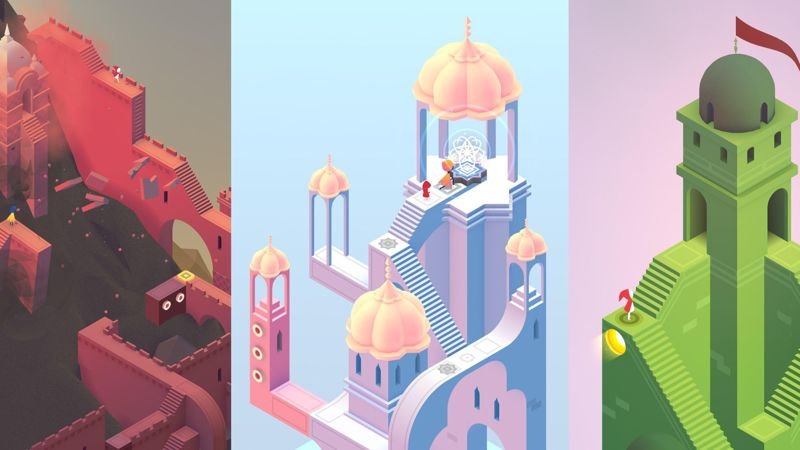
I’m running this on a 2022 iPad Pro at max settings (the game auto-detected my device and set everything to high), and holy shit, the visual fidelity is unreal. The game sits at a locked 60fps for most of the experience—I only noticed one dip to maybe 45-50fps during a particularly complex water reflection scene in Chapter 8. File size is 1.2GB, which is chunky for a puzzle game but justified by the art. The pastel color palette from the original games is still here, but now there’s this gorgeous depth-of-field effect that makes distant monuments look painterly. During the boat sections, watching the sun set over these M.C. Escher fever dream landscapes while gentle string music plays? Chef’s kiss. Battery drain was noticeable though—I lost about 40% battery over a 90-minute session, so maybe keep a charger handy.
Chapter 3 is legitimately clever puzzle design
Everyone’s talking about Chapter 3 being hard, and yeah, it’s where the training wheels come off. But it’s hard in that good way where the solution feels earned. The chapter introduces shifting bridges that only appear from certain camera angles, and there’s this sequence where you have to rotate the world like four times just to create a single walkable path. I got stuck for probably 20 minutes—actually opened a walkthrough, felt ashamed, closed it, and then figured it out five minutes later by accident when I rotated the camera the “wrong” way. That moment of realization, where your brain finally sees the impossible path? That’s the Monument Valley magic, and Chapter 3 delivers it better than any puzzle in the previous games. It’s challenging without being cruel, and it sets the difficulty baseline for the rest of the game.

Where It Falls Short
Two hours is just… not enough
I finished the main 10 chapters in about 2 hours and 15 minutes on my first playthrough. The Garden of Life expansion added maybe another 30-40 minutes. For a Netflix Games title that’s technically “free” with your subscription, that’s fine I guess. But if this eventually comes to Switch or PlayStation at a $15-20 price point (which seems likely given the “TBD” console listings), that’s a tough sell. I’ve played indie puzzle games that cost $10 and gave me 8-10 hours. The original Monument Valley was short too, but it felt more groundbreaking at the time. MV3 is gorgeous and clever, but there’s not enough of it. By the time I was really vibing with the water mechanics, credits were rolling. It feels like ustwo designed a perfect first act and then just… stopped.
There’s a weird bug with the camera rotation that cost me 10 minutes of confusion
In Chapter 7, there’s this section where you’re supposed to rotate a spiral tower to align two water channels. Except on my iPad, the rotation gesture just stopped responding. I could tap to move Noor, I could pinch to zoom, but the two-finger rotation gesture? Dead. I force-quit the app, restarted the chapter from the last checkpoint (thank god for autosave), and it worked fine the second time. This happened again briefly in Chapter 9. I checked Reddit and found a few other people reporting the same thing on iOS devices. The workaround seems to be: if rotation locks up, just force-quit and restart—you won’t lose much progress. Still annoying though, especially in a game that’s ALL about rotating perspectives. Also, loading times between chapters averaged about 8-12 seconds, which doesn’t sound like much, but in a 2-hour game, that adds up to a noticeable chunk of time spent staring at loading screens.

How The Game Actually Works
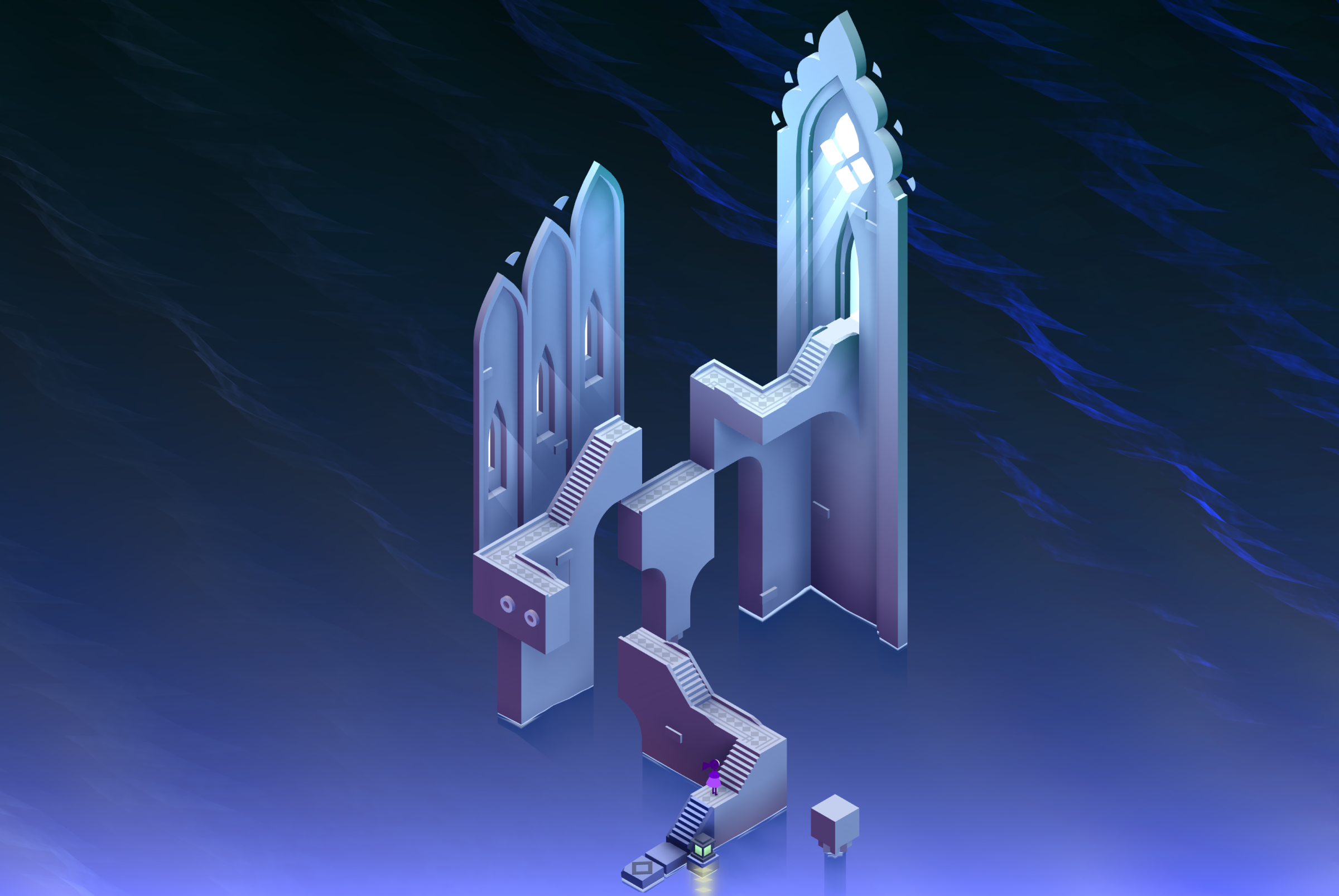
You control Noor, a new protagonist who’s journeying toward some mystical “Sacred Light” (the story is intentionally vague and interpretive). Each chapter is neededly a self-contained architectural puzzle where you rotate, manipulate, and interact with impossible structures to create paths. The core loop is: observe the structure, identify the optical illusion, rotate the camera to reveal hidden connections, tap where you want Noor to walk, repeat. The new water mechanics layer on top of this—sometimes you’re redirecting water flows, sometimes you’re sailing through vertical rivers, sometimes the water itself becomes the walkable surface. Chapters take anywhere from 8 to 20 minutes depending on complexity. There’s no timer, no score, no fail state. You just explore, experiment, and eventually find the way forward. It’s zen puzzle-solving with a gorgeous art gallery aesthetic.
Who Should Play This
If you loved the first two Monument Valley games and have Netflix (or plan to grab this on console whenever that happens), it’s a no-brainer—you’ll get exactly what you expect, just with prettier water effects. If you’re into low-stress puzzle games like Gorogoa, Gris, or The Gardens Between, this is absolutely your jam. The lack of challenge and short runtime won’t bother you because you’re here for the vibe.
But if you need meat on your puzzles—if you want something with the depth of The Witness or the complexity of Baba Is You—MV3 will feel shallow. If you hate short games on principle, this will piss you off. If you’re not already subscribed to Netflix and would need to pay $7-15 just to access this, honestly, just wait for a console release and see if the price feels right. And if you’re the type who gets frustrated by camera controls (especially with that rotation bug I mentioned), maybe watch some gameplay first to see if the perspective-shifting will click for you or drive you insane.
Quick Answers
Is it actually free or is there a catch?
It’s free if you have Netflix—just download the Netflix app, search for Monument Valley 3, and it launches through their games hub. No ads, no in-app purchases, no bullshit. If you don’t have Netflix, you’re waiting for the console/PC releases which will definitely cost money.
How does it compare to Monument Valley 1 and 2?
Visually it’s the best-looking one, the water stuff is genuinely new, but it’s also the shortest and feels the safest design-wise. MV1 blew minds in 2014; MV3 in 2024 is just really pretty and competent. If you’re choosing only one, I’d still say play the original first for the full “wow” effect.
Can I play this on my phone or does it need an iPad?
Totally playable on iPhone—I tested it briefly on my iPhone 13 and it works fine, just a bit cramped for seeing the full architectural details. iPad is definitely the better experience for those sweeping landscape views, but don’t let phone-only stop you.
What’s the Garden of Life expansion about?
It’s basically 4-5 bonus chapters with a slightly different color palette (more greens and golds). Same mechanics, just more puzzles. Takes about 30-40 minutes to complete. It’s included free with the base game, so just play it after you finish Chapter 10—it shows up as a separate menu option.
Does it drain battery like crazy?
Yeah, it’s pretty hungry. I was losing about 25-30% battery per hour on my iPad Pro, maybe a bit more on iPhone. Not as bad as like Genshin Impact or whatever, but noticeably more than simple puzzle games. Brightness setting makes a difference—I dropped mine to 60% and it helped a bit.
Is there any replay value?
Not really? There’s no collectibles, no alternate solutions, no hard mode. You could replay chapters to screenshot the pretty views (which I totally did), but once you know the puzzle solutions, there’s no reason to go back. I spent extra time just messing around with the camera angles because the art is gorgeous, but that’s not exactly “replay value.”
—
The Bottom Line: Monument Valley 3 is like ordering an expensive appetizer that’s plated beautifully, tastes incredible, but leaves you still kinda hungry. The water mechanics and sailing segments show ustwo still has some new ideas, and visually this is a mobile masterpiece… But at 2-3 hours total, it feels more like a proof of concept than a complete experience. If you’ve got Netflix anyway, 100% play this—it’s a gorgeous way to spend an evening. If you’re waiting for the console version, just set your price expectations accordingly. This is a $10 game max, not a $20 one. I had a lovely time with it, took some screenshot wallpapers for my iPad, and then immediately forgot about it. Sometimes that’s enough.
About the Author